
What’s up, everyone?!
I just want to start out this post with an, “AH HAAAAA!!!!”. 😀 I figured out the API/JSON issue with JavaScript a little bit more today. I don’t know why I can’t find all the parts to piece this topic together, but lemme tell ya… I had to pull pieces in from a number of sources. Some of these sources include CodeCademy, W3Schools, MDN, and whatever other random articles and YT’s I found. It’s weird how no one says specifically what you can do, just to play around with simple API JSON parsing.
I’m on Open Weather Map with my custom API key. I’m entering parameters into the URL to test it out and I can see the information appear right in front of me, but for whatever reason I was having the damnedest time gaining access to it to play around with it.
Making Your Request
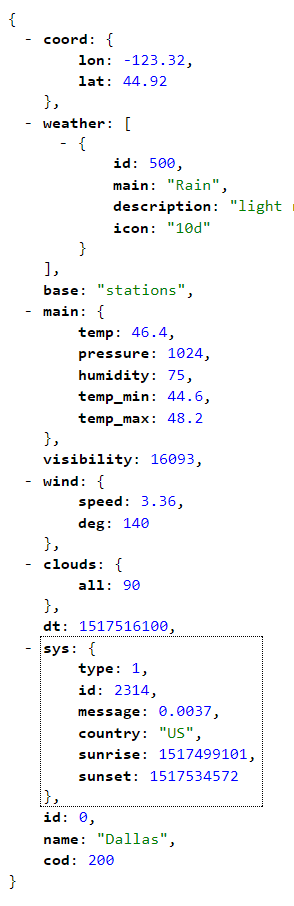
The first thing you have to do is be polite (actually, this part is somewhat optional) and request your API information. From what I could find, you do this by defining a XMLHttpRequest variable and using it to .open and .send a “GET” request to the server. Included in my code are a coupla console logs to to show the server status and to tell us in plain English whether or not it’s “OK” to go on.
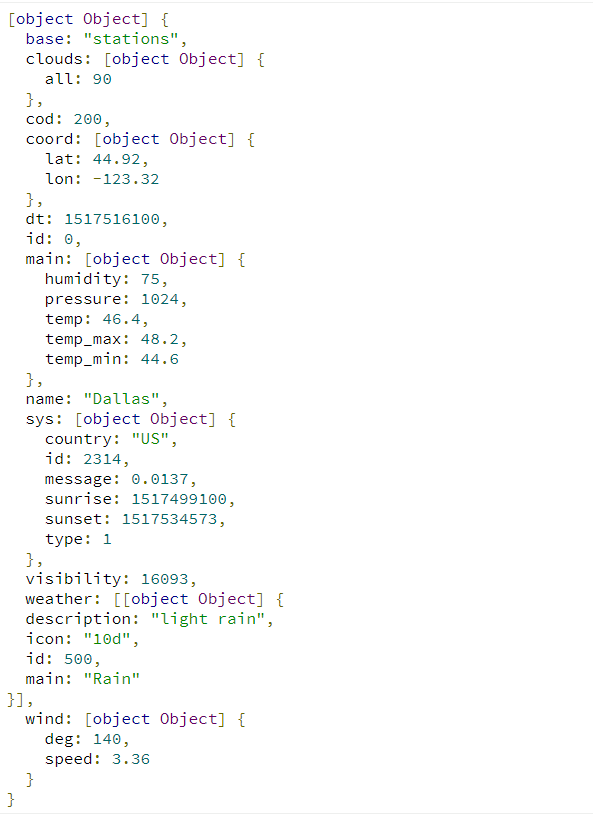
In this case it is, so we do! We finish up this part by creating a variable for JSON parsing the response (API XML Object). After this, I console log, so I can get an idea of with what I’m working.
From Here… It’s Easy?
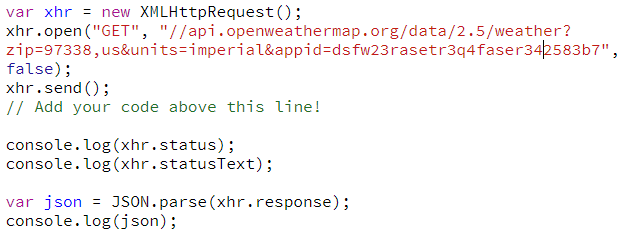
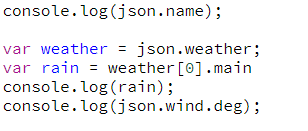
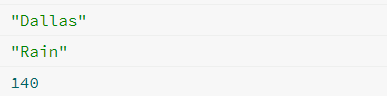
It really is easy from here. It’s just a matter of getting the parts of the object you want out from the object. I defined the variable json with the response from above, so it’s just a matter of writing something like, json.name, which will output “Dallas”. I then went on to over-complicate a process of getting the main weather type. If you look closely within the response object, you can see that weather is actually an array. So, to get information from the weather, you have to get access to it’s first index or weather[0] and then define the parameters for which you’re looking.
I want to get the Main weather parameter, so I write it like this, weather[0].main. This outputs “Rain.
After this, I do one more example for getting a sub-parameter out of a non-array… json.wind.deg is equal to 113.01.
Bring It Together
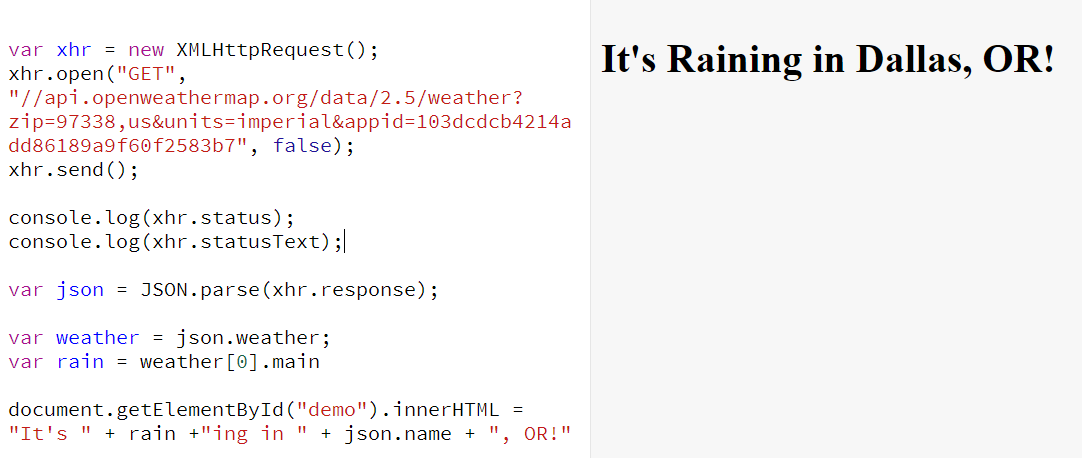
This isn’t anything special. Just an outro sort of concatenation made up of strings and the json parameters to change the text of our demo header for the featured image.

Tomorrow
Let’s start making something?! I know almost everyone does a weather app for their first API project, but I think it’s going to be good practice. Plus, afterwards, we can add a little spin to it. I’ve always wanted to make something involving weather tracking, so this will be a great chance to do so. I’m honestly pretty excited!
For now, I’m going to start learning actual PHP (outside of the PHP within WordPress interaction). Then onto making more sample sites and getting more practice in. I haven’t heard back from my interview (they said at the latest today), so I apparently need to get better and I’m fine with that. That’s exactly what I’ll do.
Have a good day, everyone.
Thank you much.