
It’s amazing how much time you can put into something before you remember you know how to do it…. !?!
This
Queue the dramatic music or the Duh Duh Duuuuuhhh…. Today’s topic is this. Just this. And it’s apparently a pretty questionable and widely disputed topic because apparently this isn’t easily understood. To be perfectly honest, I don’t understand this all that well, but when I spend around an hour on today’s JavaScript de jour (of the day) and have only one major breakthrough, I think it’s time to just write my blog and move on.
I’m trying to Google the textbook definition for this, and I can’t even find a solid answer. What’s worse, this is a little tricky in JavaScript. MDN tries to explain it (https://developer.mozilla.org/en-US/docs/Web/JavaScript/Reference/Operators/this) and that’s about as far into the Google search as I’m going and even then, I’m going to have to add some personal insight into what it says. Essentially, from what I can tell, refers to the instance in which you’re using it. Simple, right? So, I’m confused why it’s so debated.
This function. This global object. This non-global object? It seems pretty simple…
Colors of the Rainbow
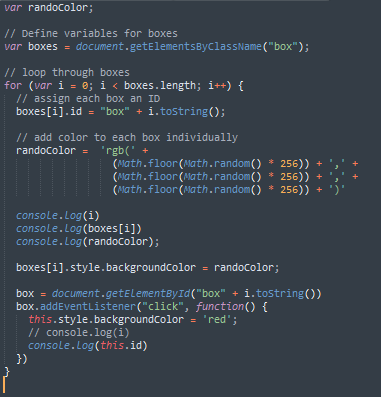
Okay. Before we get into the seemingly quick use of “this” in today’s work, I need to explain the very quick instance of how I got the colors to be different for each box. We ended the day yesterday in a spot which probably should have been completed, so apologies for that. We were using the Math library to come up with a random integer between 0 and 256 and we did.
So, from there, within the loop looping through all the boxes, you just create a variable for the random color for each box. Define this variable (in my case, randoColor) with ‘rgb(‘ + the random number equation we came up. You’ll add three of these equations to the variable and cap it off with a ‘)’.
We now have to access the color of each box. To get to that, we actually have to use the ‘backgroundColor’ attribute. To get to each box, we just use the ‘boxes’ variable (the one for each element with the class of box) and target it at index i. When you loop through the boxes, you’ll assign each box a different color. That’s quite a mouthful, so please refer to the code below. It should make more sense.
This Box
I was having the damnedest time trying to figure out how to target one individual box of the 6 total. I knew it was a matter of adding a click listener, but I just could not figure out exactly what it was I was doing wrong. I even passed through a brief remembrance of keyword this and shortly thereafter, dismissed the idea from my mind.
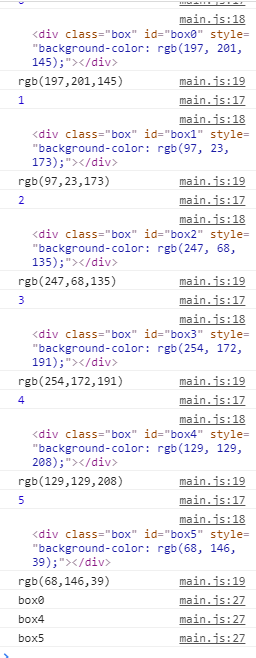
From what I came up with (please comment to me if there’s an easier way), you do have to assign each box an ID and then add a click listener to each box. You can use the loop you already have to do that. Within the loop, add an id to each index instance of the boxes. I wrote something like “boxes[i].id = “box” + i.toString();”. The result being ex box3 as an ID for the fourth box in the series (remember, arrays start at 0).
With each box having a unique ID, you can then create a variable target them (again in the same loop) with getElementById. Now you can strap on your click listener and this is where the fun really starts with this. Simply put, keyword this refers to the box on which you just clicked. MIND. BLOWN. RIGHT? It’s weird how hard this is for a lot of people to grasp… for me to grasp. But it took me a while to come up with it. You target this box on which you clicked and assign it a new background color (and of course, I logged the id of this to make sure I was getting what I thought I would).
The Plan
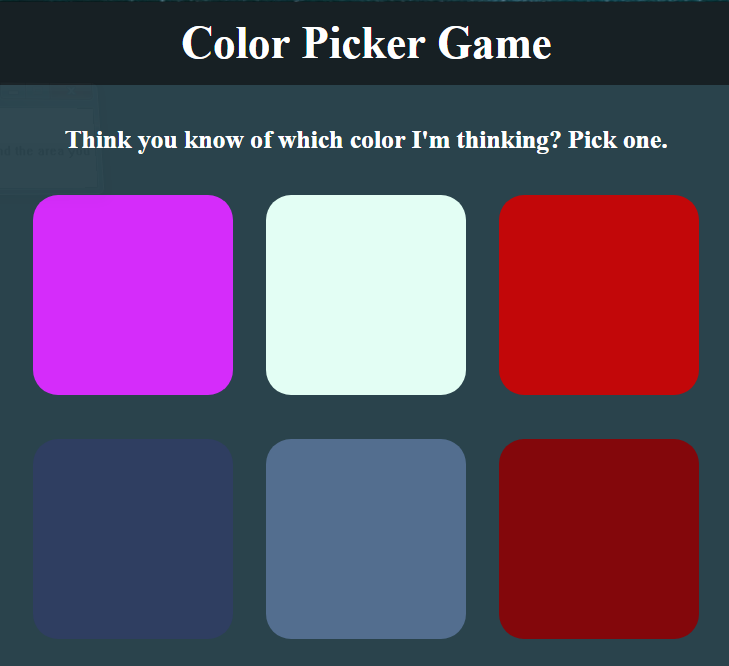
I should probably explain for what I’m aiming with this project. We’re going to make it so when we click a box, it fades away. I’d like to add a point system to the game where when a box fades away, the possible score decreases by one. Maybe even add a hint button which does this automatically. Who knows? Anyway, it’s pretty easy from here on out, so here’s to a big day tomorrow. Until then…
Thank you much.